Tap the sun and say what's on your mind. Your words appear as you speak, and Dawn Light keeps them as a dated entry you can read, search and play back.
Unlimited entries, transcripts, search and iCloud sync.
For iPhone, iPad and Apple Watch. Works with iOS 26, iPadOS 26 and watchOS 26 or later.
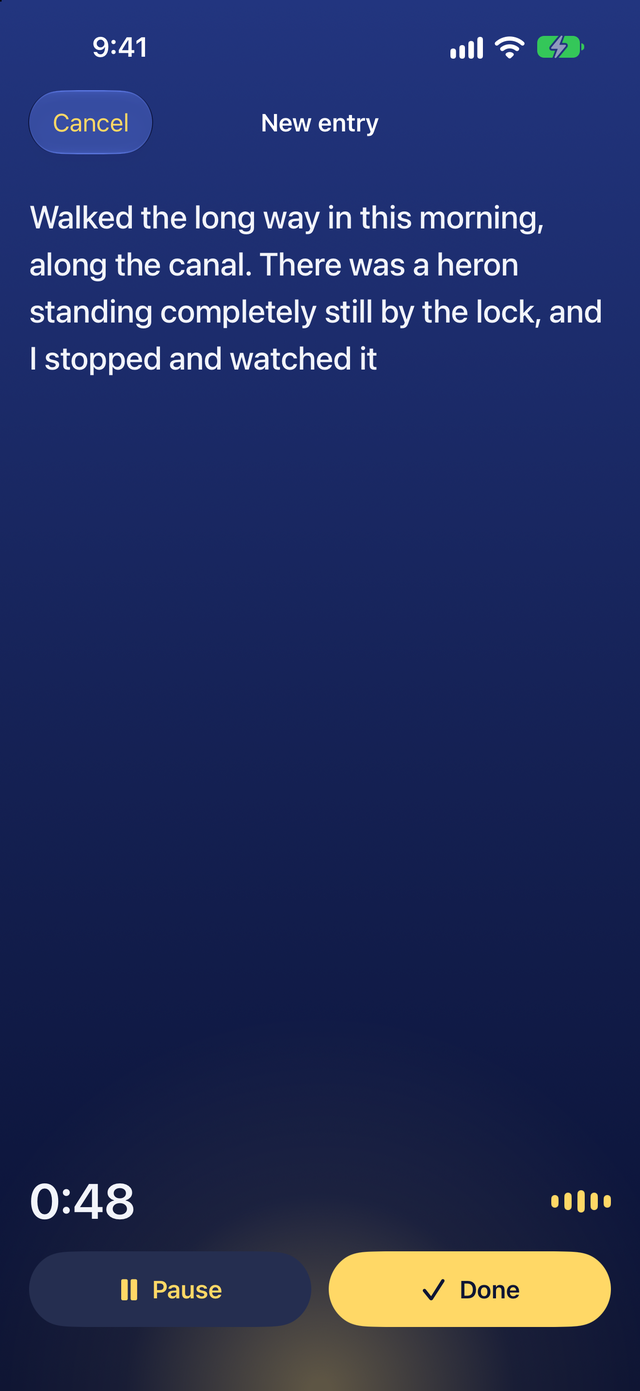
Tap the sun and talkYour words appear as you speak
Freeunlimited entries and search
On deviceApple turns your voice into text
No accountno ads and no tracking
iPhone and iPadiOS 26 or later, Apple Watch with Plus
See what you get with Dawn Light
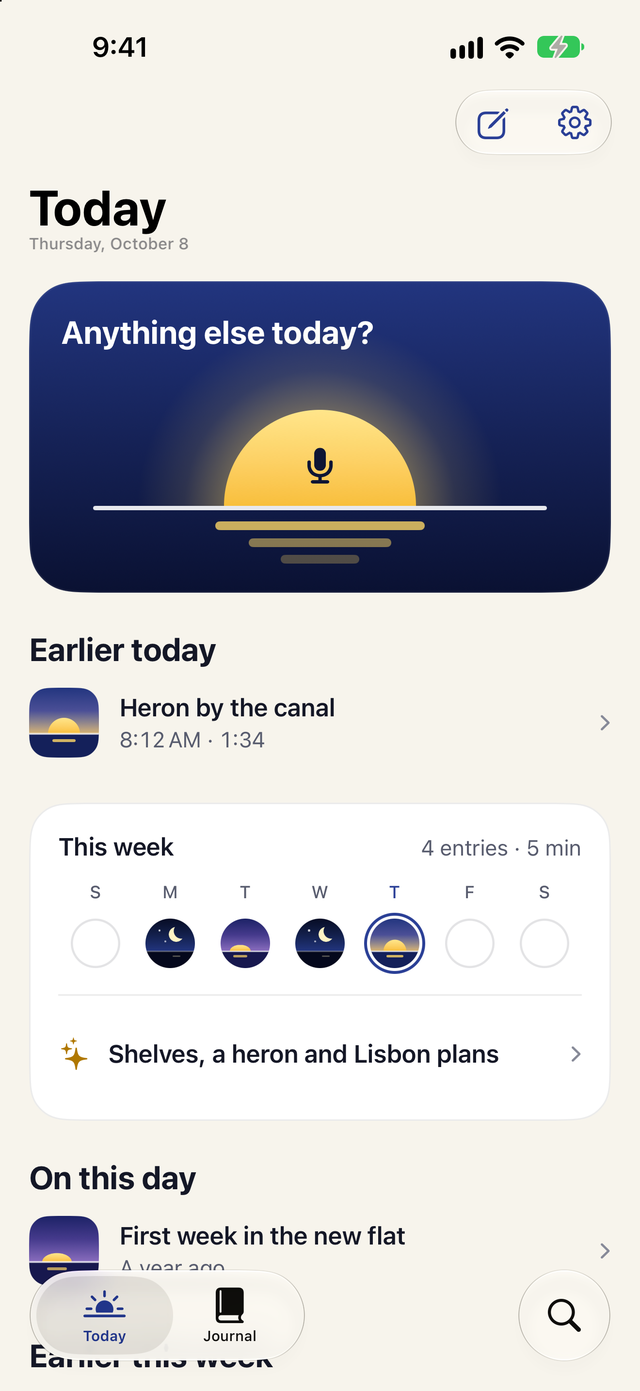
Real screens from Dawn Light on iPhone. Mornings are deep blue, and dark mode is a night sky.
Your words appear as you speak
Tap the sun on Today and talk for a minute or half an hour. Apple's speech model writes your words on the screen as you go, on your device. Pause when you need a moment and tap Done to save.
Record from Control Center, the Lock Screen, the Action button or Siri
Type an entry when talking out loud is not an option
Keep the recording with each entry, or only the words
Today at a glance
Today opens on the sun, which is the record button. Below it are today's entries, your week as a row of skies and what you said on this day in earlier years.
A one-line recap of your week, with Plus
An optional daily reminder that never shows what you said
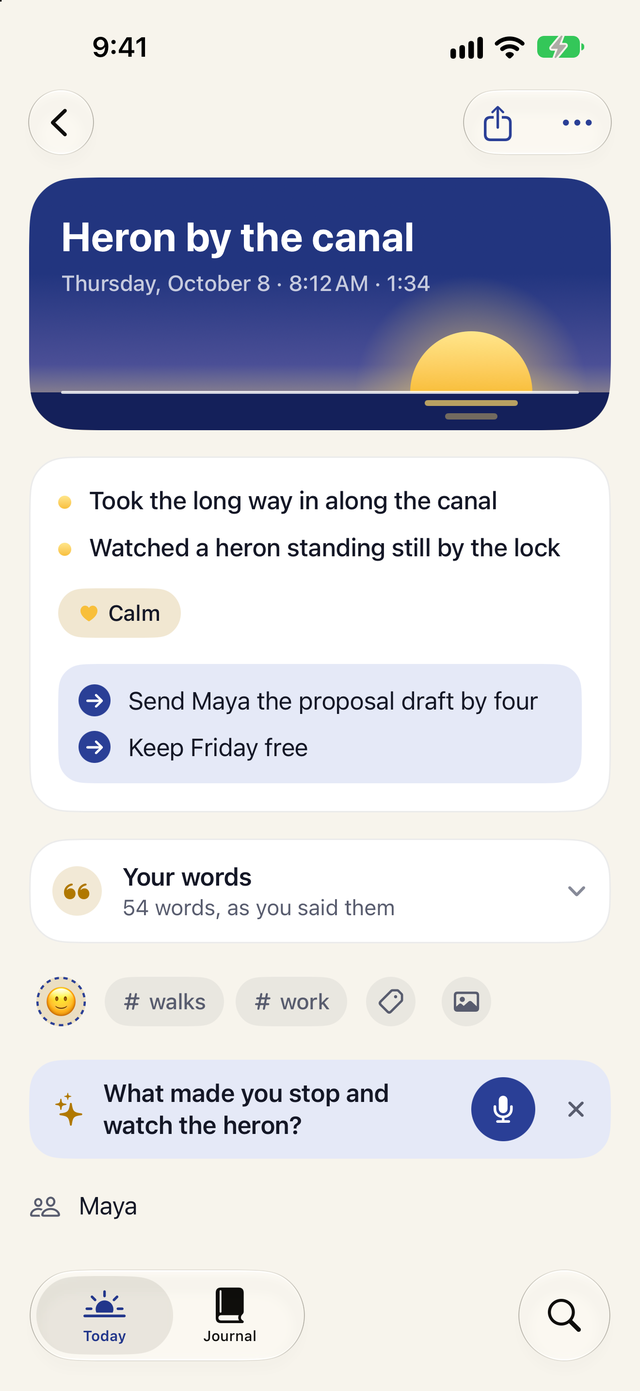
Every entry at a glance, with Plus
Plus lays out each entry as what happened, how it felt and what's next, drawn from your own words. Your transcript stays exactly as you said it.
A title, suggested tags and a mood
The people and places you mention
An optional follow-up question when there is more to say
Yes. Recording, transcripts, search, the calendar, iCloud sync, the Face ID lock, imports and export are free with no limit. Dawn Light Plus adds summaries, weekly recaps, Ask and Apple Watch recording, as a yearly or monthly subscription or a one-time purchase. The App Store shows the price for your country.
Does what I say leave my iPhone?
No. Apple's speech model turns your voice into text on your device, and Plus uses on-device Apple Intelligence. Dawn Light has no server. If you turn on Sync with iCloud, your entries are also kept in your own private iCloud account.
Which devices does Dawn Light work on?
iPhone with iOS 26 or later and iPad with iPadOS 26 or later. Plus adds recording on Apple Watch with watchOS 26 or later. Summaries, recaps and Ask need Apple Intelligence, such as on iPhone 15 Pro or later, turned on in Settings.
What languages can I speak?
Any language your device's speech model supports. Choose it in Settings under Recording. Summaries and titles work in the languages Apple Intelligence supports. The app's own screens are in English.
Can I bring my Day One or Apple Journal entries?
Yes. Export a .zip from Day One or Apple Journal, then in Dawn Light open Settings and tap Import from Day One or Apple Journal. Entries keep their dates and photos, and Day One tags come across too.
Try Dawn Light free.
Talk for a minute tonight and read it back next year. Recording, transcripts and search stay free, with no limit.